TopX App Download: APK for Android, Shortcut for iPhone
TopX offers an Android APK through its site after registration, plus an iPhone web app added through Safari. By TopX's app information, neither is listed in Google Play or the App Store. Windows and macOS use the browser. Open the TopX site on your phone to start.
18+ · New players only · Operator bonus terms apply · Play responsibly
 Written by Anusha Khan · Checked by: Denise MatheyUpdated
- Register on the TopX site to reveal the Android download option, then open its APK and confirm installation.
- For iPhone, use Safari's Share menu to add TopX to the Home Screen.
- These are the installation routes in TopX's app information; store downloads are not available.
- Computer users can play through the browser.
Android APK step by step
Registration comes before the file download in TopX's installation instructions. Open the site in your phone's browser; the installation option appears at the top after you create an account.
- 1
Open TopX
Use your Android phone's browser to open the TopX site. - 2
Create your account
Complete registration on the site to make the installation option appear. - 3
Download the APK
Tap the installation option at the top of the site to download the Android file. - 4
Open and confirm
Open the downloaded file and confirm installation. Allow installation from unknown sources if Android requests it.
Before you start
Create the account through Google or with an email address and password. Select INR during registration: the currency choice stays with the account. The registration form and currency choice come before the Android installation option, so start on the site rather than looking for a store download.
Install
Use the file offered by TopX's installation option. Opening the file starts Android's installation process, where you confirm the installation. Android can request permission to install from unknown sources because the file comes from a website. Grant that permission for this installation if prompted; TopX's route uses an APK rather than Google Play.
APK, shortcut or browser
Android and iPhone both have a browser route alongside their installation option. A computer uses the website directly, so there is no desktop file to download.
| Device | Install route | Without installation |
|---|---|---|
| Android phone | APK from TopX after registration | Open the site in your browser |
| iPhone | Home Screen web app through Safari | Play through the website |
| Windows or macOS | Use the website directly | Play in your desktop browser |
Choose the APK for Android installation or the Home Screen icon for iPhone access. Neither route uses a store listing. On a computer, keep using the browser: the Android file and Safari's iPhone shortcut are phone installation routes. You can also open TopX in a mobile browser without adding either one.
Sign in and play
Use the account you already created to sign in. Many TopX games also offer free demos without signing in, so installation is not required to try those titles.
Account access
Use your existing credentials; TopX supports Google, email and phone sign-in.TopX catalogue
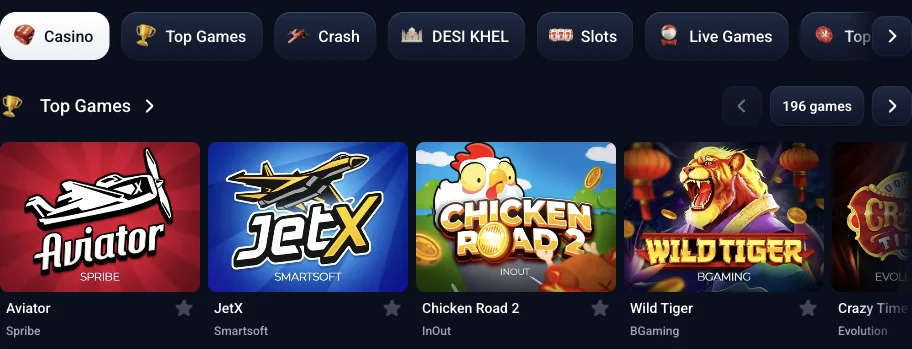
TopX lists 12,500+ games on 12.11.2026; the selection depends on your country.Welcome package
Bonuses activate after your first deposit, including the registration bonus.Rupee cashier
PhonePe, PayTM and P2P transfers through PhonePe or UPI fund INR accounts; IMPS handles withdrawals.
The India welcome package is ₹1,500 for signing up + up to 500% on your first four deposits; bonuses are activated after the first deposit.
The account's Wallet button opens the cashier. TopX's free demos use virtual credits; availability depends on the game, so not every title opens in demo mode. The catalogue details above describe TopX's games rather than a separate app-only selection. Play now to open the TopX site and use your account.
App and account terms
- APK
- An Android installation file downloaded from a website rather than Google Play.
- PWA
- A web app added to the iPhone Home Screen through Safari; it opens without the browser controls.
- KYC
- Know Your Customer: the identity checks required before a withdrawal.
- Wagering
- The amount you must stake to meet a deposit or bonus requirement.
Sources
Where the facts on this page come from
- TopX siteMobile access and India catalogue
- TopX InformationAccount policies and support contact
Frequently asked questions
Yes. TopX's app information describes an Android APK from its site and an iPhone web app added through Safari. Neither is listed in Google Play or the App Store.
No. Use the TopX site for Android installation; its download option appears after registration. On iPhone, add the site to your Home Screen through Safari.
About 53 MB to download and about 63 MB once installed, by TopX's app information.
Open TopX in Safari, tap Share, choose Add to Home Screen and tap Add. Launch the web app from the new icon.
No. The installation option appears after registration. Create your account on the TopX site before downloading its Android file.
No. On Windows and macOS, open TopX in your browser rather than installing a desktop app.
Yes. Use your existing TopX account. Creating another account for the app is prohibited; the same account rules apply across devices.
- First version of the page.
Who runs this page
topx.ing is an information site, not TopX and not its official page: no deposits, bets or accounts are handled here.
TopX's terms do not state a licence number or regulator. The contracting party named in the terms is Topx Limited (Topxgo).
For adults (18+) only. If play stops being fun, plan a budget and find help.
 New account offer