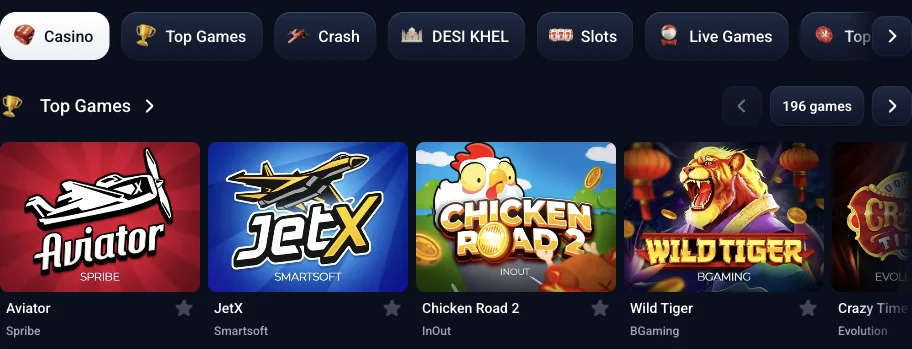
TopX Casino Sign Up: Create an Account Step by Step
Tap Registration at the top right, use Google or e-mail with a password, select INR and accept the terms. Your account currency stays fixed. India's welcome package is ₹1,500 for signing up + up to 500% on your first four deposits; bonuses are activated after the first deposit.
18+ · New players only · Operator bonus terms apply · Play responsibly
 Written by Anusha Khan · Checked by: Denise MatheyUpdated
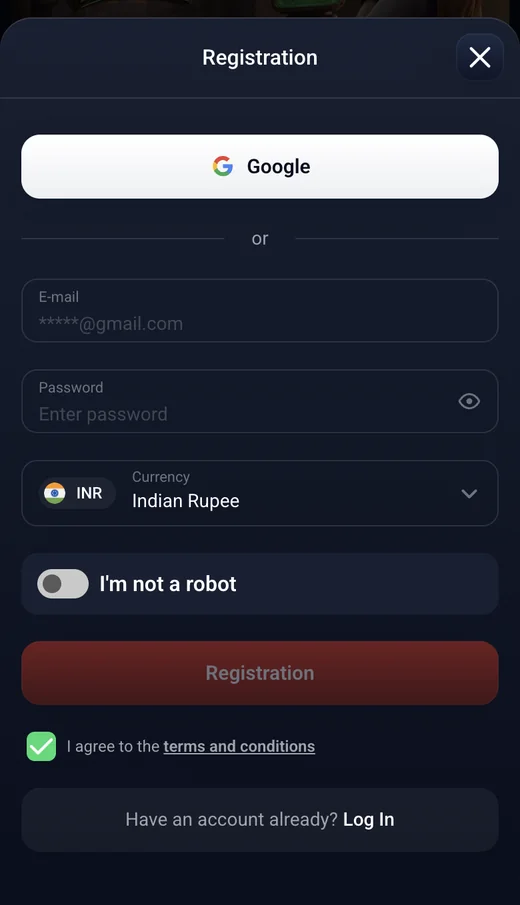
- Registration opens the account form.
- Choose Google or supply an e-mail and password, select INR and tick the terms checkbox before confirming.
- Choose the currency before submitting: it cannot be changed later.
- Creating the account and activating the welcome bonuses are separate steps; activation follows your first deposit in the selected currency.
How to register
Google and e-mail open the same account setup choice: a currency selected at registration. Start with the Registration button in the header, then complete the form using your preferred method.
- 1
Open TopX
Open the site to reach the casino lobby and its header. - 2
Tap Registration
Use the button at the top right to open the sign-up window. - 3
Choose your method
Select Google or enter an e-mail address and password. - 4
Select INR
Choose rupees as your currency, tick the terms checkbox and complete the robot check. - 5
Confirm the form
Submit your registration with the selected account currency.
With e-mail
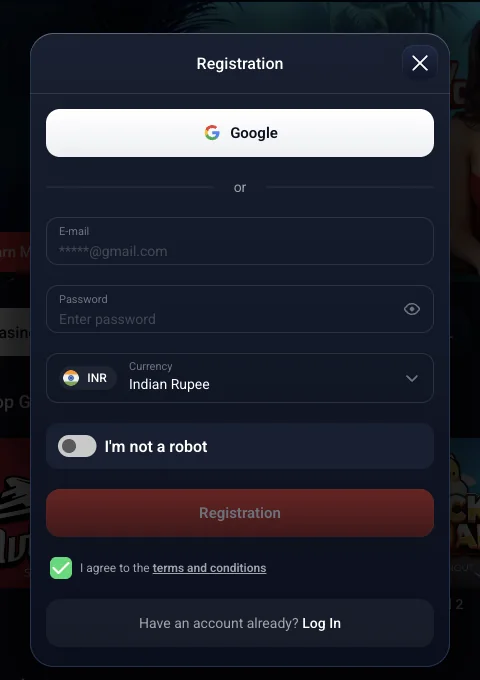
Enter your e-mail address in the E-mail field and set the account password. The visibility switch lets you display the password while entering it. Select the rupee currency and accept the terms before submitting; the currency belongs to the account you create.

With Google
Select Google instead of entering an e-mail and password in the registration fields. INR remains the account currency to choose for India. Google is the alternative sign-up method; the currency choice still determines the account's rupee bonus amounts.
The Android installation button becomes available after registration.
Registration screens
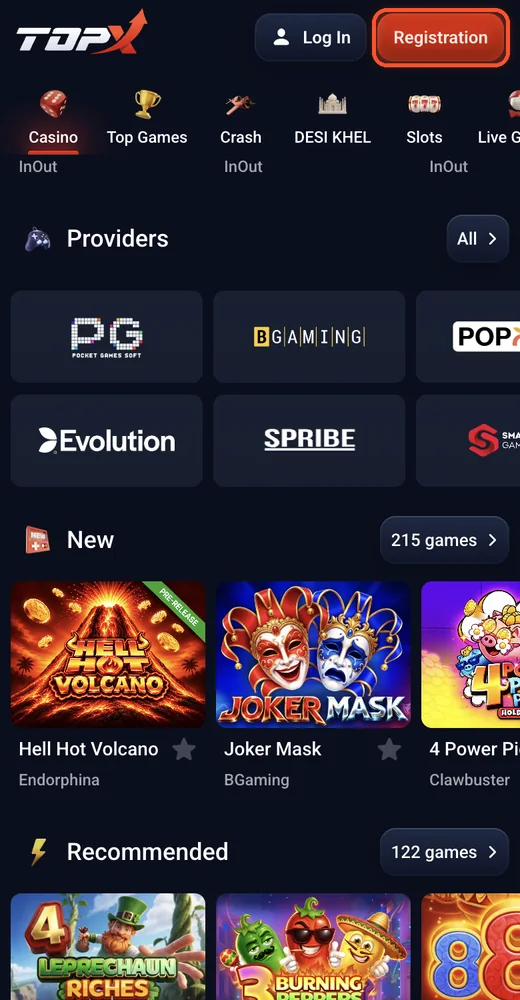
Registration button
Tap Registration in the header.
You see: The header shows the framed Registration button above the lobby. 13.11.2026.
Registration window
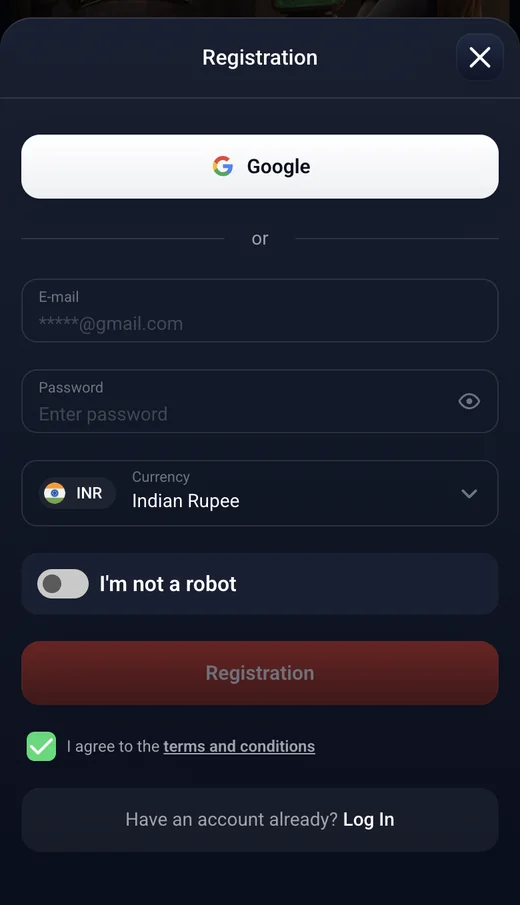
Choose Google or use the E-mail and Password fields.
You see: The Registration window shows Google, E-mail, Password, Currency, the robot check and Registration. 13.11.2026.
What you need before you start
An e-mail address or Google account gives you a way to register. Have a phone number ready for the profile too: adding and confirming it is part of preparing the account for cashier transactions.
E-mail and password
Use a valid e-mail address for the e-mail registration method.Google account
Choose Google when you prefer this sign-up method to the e-mail fields.Rupee currency
Select INR in the Currency field for an Indian rupee account.Phone number
Add and confirm your number in the profile for cashier transactions.
Some games have a free demo that opens without an account. Demo access varies by game, so registering is separate from trying an available demo. The interface offers English and Hindi for Indian players.
- Choose INR before you confirm registration.
- TopX does not change an existing account's currency.
- A different currency would require a new account, while the account rules prohibit creating a second one.
Verification: what to prepare
The first withdrawal requires a personal-details form under KYC. Further stages depend on transaction size, with the policy expressing its thresholds in USD for rupee accounts too.
| Stage | When required | What to prepare |
|---|---|---|
| 1 | Any withdrawal | First and last name, birth date, country, gender and full address |
| 2 | Deposit or withdrawal > 2,000 USD; player transfer > 1,000 USD | ID photo with a handwritten six-digit number |
| 3 | Deposit or withdrawal > 5,000 USD; player transfer > 3,000 USD | Proof of income |
A passport, national identity card or driving licence can serve as the identity document. Keep the document readable with all its corners visible, and place the handwritten number beside it. When proof of address is required, use a utility bill, bank statement or official document no older than 3 months.
Funds are blocked until the required stage is completed. The identity document requirements explain the checks to prepare before requesting a withdrawal.
If registration does not go through
A regional access message and an account eligibility issue need different responses. Use the message shown by TopX to explain the problem to support, rather than opening another registration.
Age eligibility
The minimum age requirement is in the eligibility terms at the foot of this page.Account already exists
Use the existing account's sign-in route; the account limit is covered in the terms below.Region access message
Use the 24/7 Support chat to discuss the regional access message shown by TopX.Help with access
For account access enquiries, write to info@topx.one with the problem you need resolved.
TopX provides its support chat through the 24/7 Support button. Account access enquiries can also go to info@topx.one.
Terms to know
18+ applies, or the higher minimum age permitted in your country. The rules allow one account per person, family, address, IP address and device; transferring an account to another person is prohibited.
Allowed
- ✓Use payment details in your own name.
- ✓Withdraw the real-money balance after verification.
Not allowed
- ✕Create another account to change currency.
- ✕Withdraw in fiat after a crypto deposit, or the reverse.
Watch out
- !Wager each deposit ×3 before withdrawal.
- !The rules set a 10 EUR or equivalent minimum for deposits and withdrawals.
Bonus conditions to keep in mind
- 1
Exceeding the bonus bet limit
With an active bonus, the maximum is 5 EUR per spin or 0.5 EUR per line, or the equivalent. - 2
Requesting a withdrawal with bonuses
Withdrawing forfeits the bonus balance. A bonus is limited to one per person, family, address and IP address.
The withdrawal rules allow up to 72 hours for requests up to 1,000 EUR or equivalent, and up to 7 days for larger amounts, after verification. The general ceiling is 15,000 USD per day; larger amounts are paid in instalments. TopX charges no withdrawal fee.
Request a daily deposit limit through info@topx.one. Self-exclusion lasts from 6 months to 5 years and cannot be cancelled during that period; the deposit limit and self-exclusion options explain how to request it.
Sources
Where the facts on this page come from
- TopX registration windowRegistration fields and India welcome banners
- TopX AML & KYC policyVerification stages and document requirements
- TopX Terms of useAccount rules, bonus rules and withdrawals
Frequently asked questions
Open TopX and tap Registration at the top right. Choose Google or enter your e-mail and password, select INR, tick the terms box and confirm the form.
INR for India. The currency is fixed when you register. Changing it would require a new account, while the rules prohibit a second account.
₹1,500 for signing up + up to 500% on your first four deposits; bonuses are activated after the first deposit. The terms are on the bonus card. The rules set wagering for any bonus at a minimum of ×25.
No. Enter a code after signing in: open the profile icon, choose Promo code, enter the code and confirm it.
No. Registration uses Google or e-mail and a password. Any withdrawal requires the first KYC stage, a personal-details form. Higher transaction thresholds trigger an ID photo with a handwritten number, then proof of income.
18 or the higher age at which gambling is permitted in your country. TopX can request proof of age.
Yes. Google is an alternative to e-mail and a password. Select INR as your account currency when registering.
No. Only one account is allowed per person, family, address, IP address and device. Account transfers are prohibited.
- First version of the page.
Who runs this page
topx.ing is an information site, not TopX and not its official page: no deposits, bets or accounts are handled here.
TopX's terms do not state a licence number or regulator. The contracting party named in the terms is Topx Limited (Topxgo).
For adults (18+) only. If play stops being fun, plan a budget and find help.
 New account offer